


































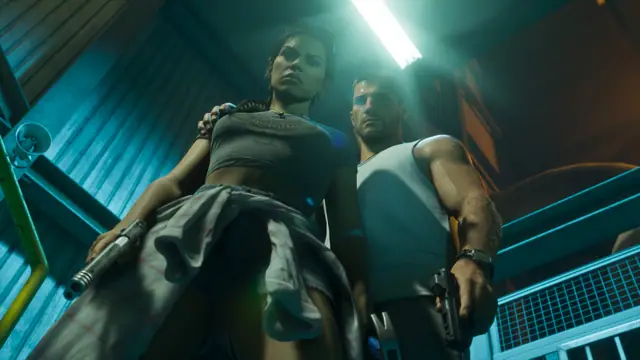





GTA 6 Controls

120 actions13 sections3 platforms

L2 triggerL2LT triggerLTL2/LT aims, R2 triggerR2RT triggerRTR2/RT shoots, L3, press the left stickL3LS, press the left stickLSL3/LS runs, R1 bumperR1RB bumperRBR1/RB takes cover, D-pad UpD-pad Up↑ key↑ opens the phone. Every GTA 6 button on PS5 and Xbox.

GTA 6 launched on PS5 and Xbox Series X|S only. Rockstar has not announced a PC version. PC keys here are the GTA V defaults: a guide to expect, not confirmed. Unknown where GTA V had no match.

  • No PC keys to expect in this section yet

General

  • PauseOptions buttonMenu buttonEsc keyEsc
  • MapCan be remapped in Controller settings.Touchpad buttonView buttonUnknown
  • PhoneD-pad UpD-pad Up↑ key↑
  • Objective and minimapHold for quick navigation.D-pad DownD-pad DownZ keyZ
  • RadioHold for the radio menu. Double-tap turns it off.D-pad LeftD-pad LeftUnknown
  • Partner menuHoldD-pad RightHoldD-pad RightHoldAlt keyAlt
  • Switch Jason / LuciaFree switching opens in Chapter 2.HoldD-pad RightthenR1 bumperR1HoldD-pad RightthenRB bumperRBHoldAlt keyAlt
  • Look aroundRight stickRRight stickRMouse
  • Look behindHoldR3, press the right stickR3HoldRS, press the right stickRSC keyC
  • FocusCan move to the touchpad in Accessibility.L3, press the left stickL3+R3, press the right stickR3LS, press the left stickLS+RS, press the right stickRSUnknown
  • Inspect surroundingsUnarmed and standing still. A first-person look.HoldL2 triggerL2+R3, press the right stickR3HoldLT triggerLT+RS, press the right stickRSV keyV
  • Zoom while inspectingHoldR2 triggerR2HoldRT triggerRTUnknown
  • Photo StudioOptions buttonthenSquare buttonMenu buttonthenX buttonXUnknown

On foot

  • MoveLeft stickLLeft stickLWASD keyWASD
  • Run and sprintClassic scheme moves run to Cross buttonA buttonACross/A.L3, press the left stickL3LS, press the left stickLSShift keyShift
  • Jump, climb and vaultCross buttonA buttonASpace keySpace
  • CrouchCircle buttonB buttonBCtrl keyCtrl
  • Rest or lean on a wallSome guides list hold L3, press the left stickL3LS, press the left stickLSL3/LS at railings.HoldCircle buttonHoldB buttonBUnknown
  • Take coverR1 bumperR1RB bumperRBQ keyQ
  • Interact or enter vehicleTriangle buttonY buttonYF keyF
  • Holster weaponL1 bumperL1LB bumperLBUnknown
  • WhistleUnarmed, to lure someone over.HoldL2 triggerL2HoldLT triggerLTUnknown
  • Flip someone offUnarmed.HoldL2 triggerL2+R1 bumperR1HoldLT triggerLT+RB bumperRBUnknown
  • Check engineAt the front of a car.L1 bumperL1LB bumperLBUnknown
  • Push vehicleStand at the bumper.Left stickLLeft stickLUnknown
  • Shove or flip vehicleWalk into its side.HoldSquare buttonHoldX buttonXUnknown
  • Clear out a trunkCars you do not own.HoldSquare buttonHoldX buttonXUnknown
  • Throw an objectR2 triggerR2RT triggerRTUnknown
  • Scan a vehicleWith the WAiNK scanner open.HoldD-pad UpthenHoldR1 bumperR1HoldD-pad UpthenHoldRB bumperRBUnknown
  • SurrenderWhen the police order it.HoldR1 bumperR1HoldRB bumperRBUnknown
  • HealHoldL1 bumperL1+Square buttonHoldLB bumperLB+X buttonXUnknown

Aiming and shooting

  • AimHoldL2 triggerL2HoldLT triggerLTRight mouse button
  • ShootWithout aiming it fires from the hip.R2 triggerR2RT triggerRTLeft mouse button
  • ReloadSquare buttonX buttonXR keyR
  • Loadout wheelHoldL1 bumperL1HoldLB bumperLBHoldTab keyTab
  • Quick swap weaponWhile aiming.Triangle buttonY buttonYMouse wheel
  • Quick throwHoldR1 bumperR1HoldRB bumperRBG keyG
  • Zoom, sight or throw pathWhile aiming.R3, press the right stickR3RS, press the right stickRSUnknown
  • Scope zoom in / outD-pad Up/D-pad DownD-pad Up/D-pad DownMouse wheel
  • Switch shoulderSome guides say hold.D-pad LeftD-pad LeftUnknown
  • Detonate explosivesD-pad RightD-pad RightUnknown
  • Weapon flashlightHoldL2 triggerL2+D-pad UpHoldLT triggerLT+D-pad UpE keyE
  • Threaten at gunpointHoldL2 triggerL2+Square buttonHoldLT triggerLT+X buttonXUnknown

Melee

  • Lock on and strafeHoldL2 triggerL2HoldLT triggerLTRight mouse button
  • Punch or kickSquare buttonX buttonXR keyR
  • Heavy attackHoldSquare buttonHoldX buttonXO keyO
  • BlockHoldCross buttonHoldA buttonAUnknown
  • DodgeTapCross buttonTapA buttonASpace keySpace
  • CounterJust before the hit lands.TapCross buttonthenSquare buttonTapA buttonAthenX buttonXUnknown
  • GrappleR2 triggerR2RT triggerRTUnknown
  • Choke outSteer the struggle with the D-pad.R2 triggerR2thenHoldSquare buttonRT triggerRTthenHoldX buttonXUnknown
  • Grab from behindHoldR2 triggerR2HoldRT triggerRTUnknown
  • Stealth takedownCrouch and sneak up behind first.HoldR2 triggerR2thenMashSquare buttonHoldRT triggerRTthenMashX buttonXUnknown

Cars

  • AccelerateR2 triggerR2RT triggerRTW keyW
  • Brake and reverseL2 triggerL2LT triggerLTS keyS
  • SteerLeft stickLLeft stickLA keyA/D keyD
  • HandbrakeCross buttonA buttonASpace keySpace
  • Horn or nitrousL3, press the left stickL3LS, press the left stickLSE keyE
  • SirenEmergency vehicles. Hold and push up to change tone.L3, press the left stickL3LS, press the left stickLSUnknown
  • HeadlightsCircle buttonB buttonBH keyH
  • DuckHoldCircle buttonHoldB buttonBX keyX
  • Shoot from the carR1 bumperR1RB bumperRBLeft mouse button
  • Select vehicle weaponHoldL1 bumperL1HoldLB bumperLBUnknown
  • Indicate leftHold for the vehicle menu.D-pad LeftD-pad LeftUnknown
  • Indicate rightD-pad RightD-pad RightUnknown
  • Look behindHoldR3, press the right stickR3HoldRS, press the right stickRSC keyC
  • Yell at driversR3, press the right stickR3RS, press the right stickRSUnknown
  • Door hit or kick bikesSquare buttonX buttonXUnknown
  • Middle fingerUnarmed.R1 bumperR1RB bumperRBUnknown
  • Cinematic cameraHoldD-pad DownthenOptions buttonHoldD-pad DownthenMenu buttonR keyR
  • Auto-driveIn the cinematic camera.HoldCircle buttonHoldB buttonBUnknown
  • Exit vehicleTriangle buttonY buttonYF keyF
  • Jump out, engine runningDouble-tapTriangle buttonDouble-tapY buttonYUnknown
  • Stop, then get outHoldTriangle buttonHoldY buttonYUnknown

Motorbikes

  • WheeliePull the stick back.Left stickL+R2 triggerR2Left stickL+RT triggerRTCtrl keyCtrl
  • StoppiePush the stick forward.Left stickL+L2 triggerL2Left stickL+LT triggerLTShift keyShift
  • KickKnock riders and pedestrians aside.Square buttonX buttonXUnknown
  • Bunny hopUnknownUnknownUnknown

Boats

  • AccelerateR2 triggerR2RT triggerRTW keyW
  • ReverseL2 triggerL2LT triggerLTS keyS
  • SteerLeft stickLLeft stickLA keyA/D keyD
  • HornL3, press the left stickL3LS, press the left stickLSE keyE
  • Drop anchorVehicle menu, then Anchor. Some boats only.HoldD-pad LeftHoldD-pad LeftUnknown
  • Walk the deck while movingDouble-tapTriangle buttonDouble-tapY buttonYUnknown
  • Push a beached boatHoldL1 bumperL1HoldLB bumperLBUnknown
  • ExitTriangle buttonY buttonYF keyF

Planes

  • Throttle up / downR2 triggerR2/L2 triggerL2RT triggerRT/LT triggerLTW keyW/S keyS
  • Pitch and rollLeft stickLLeft stickLNUMPAD keynumpad
  • Yaw left / rightSquare button/Circle buttonX buttonX/B buttonBA keyA/D keyD
  • Landing gearL3, press the left stickL3LS, press the left stickLSG keyG
  • ShootR1 bumperR1RB bumperRBSpace keySpace
  • Vehicle menuHoldD-pad LeftHoldD-pad LeftUnknown
  • Look behindHoldR3, press the right stickR3HoldRS, press the right stickRSC keyC
  • FlaresUnknownUnknownUnknown

Helicopters

  • Take off and climbHoldR2 triggerR2HoldRT triggerRTW keyW
  • DescendHoldL2 triggerL2HoldLT triggerLTS keyS
  • Yaw left / rightNot the bumpers, unlike GTA V.HoldSquare button/Circle buttonHoldX buttonX/B buttonBA keyA/D keyD
  • Fly forward and bankLeft stickLLeft stickLNUMPAD keynumpad
  • HoverLet go of every input.No buttonNo buttonUnknown

Bicycles

  • Pedal / brakeR2 triggerR2/L2 triggerL2RT triggerRT/LT triggerLTW keyW/S keyS
  • Steer and leanLeft stickLLeft stickLA keyA/D keyD
  • SprintCross buttonA buttonACaps keyCaps
  • BunnyhopCircle buttonB buttonBSpace keySpace
  • BellL3, press the left stickL3LS, press the left stickLSUnknown
  • KickSquare buttonX buttonXUnknown
  • Get offTriangle buttonY buttonYF keyF

Swimming and diving

  • SwimLeft stickLLeft stickLWASD keyWASD
  • Swim fasterL3, press the left stickL3LS, press the left stickLSShift keyShift
  • Dive deeperR1 bumperR1RB bumperRBUnknown
  • SurfaceCross buttonA buttonAUnknown
  • Aim and shoot underwaterL2 triggerL2+R2 triggerR2LT triggerLT+RT triggerRTRight mouse button+Left mouse button
  • Trick diveAt the water's edge.HoldCross buttonHoldA buttonAUnknown

Parachute

  • Open parachuteCross buttonA buttonALeft mouse button
  • SteerLeft stickLLeft stickLWASD keyWASD
  • Brake left / rightL2 triggerL2/R2 triggerR2LT triggerLT/RT triggerRTQ keyQ/E keyE
  • DetachTriangle buttonY buttonYF keyF
  • WAiNK scannerHoldD-pad UpHoldD-pad UpUnknown

Phone and Photo Studio

  • WAiNK scannerOn foot. In a vehicle it interacts.HoldD-pad UpHoldD-pad UpUnknown
  • Open Photo StudioOptions buttonthenSquare buttonMenu buttonthenX buttonXUnknown
  • Hide the UIIn Photo Studio.Triangle buttonY buttonYUnknown

Movement tips

  • Cross buttonthenTapCross buttonA buttonAthenTapA buttonACross buttonthenTapCross buttonChain jumpsTap again the moment a climb ends to keep momentum.
  • L3, press the left stickL3thenCross buttonLS, press the left stickLSthenA buttonAL3, press the left stickL3thenCross buttonHood slideRun at the side of a car and jump.
  • HoldCross buttonHoldA buttonAHoldCross buttonTrick diveAt the water's edge, for a showy dive.
  • Double-tapTriangle buttonDouble-tapY buttonYDouble-tapTriangle buttonExit at speedBail out and leave the engine running.

Change the controls

  1. Options buttonMenu buttonEsc keyEscPause Menu
  2. Settings
  3. Control Scheme
  • Control Scheme
  • Controller
  • Gameplay
  • Display
  • UI
  • Camera
  • Audio
  • Account

Default is the layout on this page. The others change these buttons:

  • Classic
    • RunCross buttonA buttonACross button
    • JumpSquare buttonX buttonXSquare button
    • MeleeCircle buttonB buttonBCircle button
    • CrouchL3, press the left stickL3LS, press the left stickLSL3, press the left stickL3
  • Left-Handed
    • MoveRight stickRRight stickRRight stickR
    • ShootL2 triggerL2LT triggerLTL2 triggerL2
    • CoverL1 bumperL1LB bumperLBL1 bumperL1

First person

No full first-person mode. These three views get you closest.

  • Inspect surroundingsUnarmed and standing still. You can look, not walk.HoldL2 triggerL2+R3, press the right stickR3HoldLT triggerLT+RS, press the right stickRSUnknown
  • Weapon sightAim, then click the right stick.HoldL2 triggerL2thenR3, press the right stickR3HoldLT triggerLTthenRS, press the right stickRSUnknown
  • Phone in a vehicleFirst person while the phone is out. Camera settings, Phone Display.D-pad UpD-pad UpUnknown

Controller tab

  • Look and aim sensitivity
  • Response curve and acceleration
  • Dead zones
  • Invert look, movement, aircraft
  • Vibration and haptics
  • Adaptive triggers (PS5)
  • Touchpad button
  • Light bar

Accessibility

  • First bootAsked before the game starts
    • Screen narrationOn / Off
    • UI text sizeS to XL
    • SubtitlesOff to Large
  • InputGameplay, Accessibility
    • Hold or pressAim, interact, loadout, D-pad
    • Tap AssistMash with a hold
    • Hold Assist and Hold DelayTunable
    • Focus buttonL3 + R3 or touchpad
    • Simplified mini gamesOn / Off
    • Auto-equip helmetOn / Off
  • AimGameplay, Combat
    • TargetingPartial, Free Aim, Lock-On
    • Aim Assist StrengthDefault 4
    • Shooting and drive-by assistOn by default
  • VisionUI and Display
    • Colour adjustmentsProtan, Deutan, Tritan
    • High contrast shadersOn / Off
    • Closed captionsSpeech to environment
    • Subtitle backgroundOff, see-through, solid
    • Map and marker sizeBigger blips
    • Centre dotAlways on
    • FlashbangBright or dark
  • ComfortCamera, Comfort and Display
    • Camera shakeAdjustable
    • Weapon sway and camera bobAdjustable
    • Motion blurStrength slider
    • Brightness reductionOn / Off
  • AudioAudio
    • Mono audioOn / Off
    • Tinnitus reductionOn / Off
    • Cutscene audio descriptionEnglish only
  • Not in the game yet
    • Remap single buttonsUse the console: PS5 Custom Button Assignments or the Xbox Accessories app
    • Difficulty levelsUnknown

PC keyboard and mouse

GTA 6 launched on PS5 and Xbox Series X|S only. Rockstar has not announced a PC version. PC keys here are the GTA V defaults: a guide to expect, not confirmed. Unknown where GTA V had no match.

Related guides

Sources (28)

More in Guides

Questions

What are the GTA 6 controls?

L2 triggerL2LT triggerLTL2/LT aims, R2 triggerR2RT triggerRTR2/RT shoots, L3, press the left stickL3LS, press the left stickLSL3/LS runs, R1 bumperR1RB bumperRBR1/RB takes cover, D-pad UpD-pad Up↑ key↑ opens the phone. Every GTA 6 button on PS5 and Xbox.

How do you sprint in GTA 6?

Click L3, press the left stickL3LS, press the left stickLSL3/LS on the Default scheme. The Classic scheme puts run back on Cross buttonA buttonACross/A.

How do you switch between Jason and Lucia?

Hold D-pad RightD-pad RightD-pad Right for the partner menu, then press R1 bumperR1RB bumperRBR1/RB. Free switching opens in Chapter 2. More on switching characters.

Can you remap buttons in GTA 6?

Not one by one. You pick Default, Classic or Left-Handed in Pause Menu, Settings, Control Scheme. For single buttons use the console: PS5 Settings, Accessibility, Controllers, Custom Button Assignments, or the Xbox Accessories app.

Does GTA 6 have first-person mode?

No full first-person mode. You get a first-person look by holding L2 triggerL2LT triggerLTL2/LT + R3, press the right stickR3RS, press the right stickRSR3/RS unarmed and standing still, a sight view by pressing R3, press the right stickR3RS, press the right stickRSR3/RS while aiming, and first person while the phone is out in a car (Camera settings).

Is GTA 6 on PC?

Not yet. It launched on 19 November 2026 for PS5 and Xbox Series X|S only, and Rockstar has not announced a PC version. The PC keys on this page are what to expect from GTA V on PC, not confirmed bindings.

How do you turn off aim assist in GTA 6?

Pause Menu, Settings, Gameplay, Combat: set Targeting to Free Aim. Partial is the default, Lock-On snaps hardest. Aim Assist Strength (default 4) sits on the same screen.

Image

Only on this browser

New here?

·

Free, delete any time. What we store